


-
Home

-
Products
-
Amplifiers and other Electrophysiological Devices
-
Amplifiers
-
Patch Clamp Amplifiers
- Axon Multiclamp 700B
Axon Multiclamp 700B

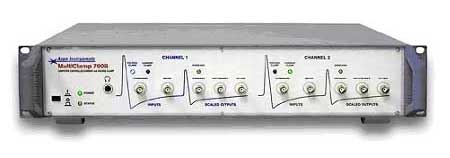 Axon MultiClamp700B
The MultiClamp 700B is the successor to the MultiClamp 700A.
Three major features are:
Switch Modes Conditionally Instantly switch recording modes by using the membrane potential as the trigger. Preset a voltage threshold in current-clamp mode, and MultiCclamp700B will automatically switch to voltage-clamp when membrane potential reaches that voltage level. User-specified delay will allow you to perform creative new experiments.
Suppress Oscillations Sudden changes in membrane or pipette parameters may result in undesirable oscillations during whole-cell recording. MultiClamp 700B will detect current or voltage oscillations and automatically disable or intelligently reduce compensation settings to protect the cell from damage.
Preserve Membrane Potential Slight voltage drift – often due to changing electrode properties – may contaminate an otherwise decent current-clamp recording. In order to maintain the membrane potential at a consistent level, MultiClamp 700B will automatically inject compensatory current over a user-defined time course
Although the MultiClamp 700B is a computer-controlled amplifier, your mouse is not the only means of controlling the instrument. The optional SoftPanel was designed as a hardware extension of the MultiClamp Commander software for control of the MultiClamp. The knobs and buttons of the SoftPanel offer a more conventional feel to amplifier control, and physically replicate the essential functions of the Commander software. Continuous mouse controls ("gliders") in the MultiClamp Commander are replicated by knobs on the SoftPanel for features such as capacitance and series-resistance compensation, bridge balance and buzz duration. Single-click mouse controls in the MultiClamp Commander are replicated by buttons on the SoftPanel for features including automatic compensation, pipette offset and switching between voltage and current clamp modes. The SoftPanel comes with a pre-defined magnetic overlay, but the knobs and buttons can be re-configured in the MultiClamp Commander and labeled by the user on an erasable surface. There are two versions of the SoftPanel: one supports communication to the host computer via a serial port, and the other uses a USB connection. Please specify which version when ordering. Housed in an 8.89 cm high x 30.48 cm deep (3.5" high x 12"deep) rack-mountable Axon chassis.
Specifications
Experimental Control and Data Acquisition
Although the MultiClamp 700B offers computer control, it is still a conventional amplifier with an analog output, therefore it requires a system for controlling your stimulus protocol and recording the output, such as our pCLAMP software and Digidata 1322A data acquisition system. See those pages for their requirements. Please note that you can use the MultiClamp Commander and pCLAMP on the same computer at the same time.
Computer Control
1 GHz or better processor, Microsoft Windows® or Mac OS X 10.4.6 (Tiger) or higher, 512MB RAM, 500 MB HD space. Two USB 1 ports are required to run the MultiClamp Commander program, which replaces the knobs and switches of a conventional amplifier.
Other quality improvements
- Second scaled output with signal conditioning
- USB communication replaces the previous RS-232
- Support for (optional) bilayer headstage
- User-defined control sensitivity (Fine, Medium, Coarse)
- Improved current clamp holding and offset resolution
- Support for two (optional) voltage-following headstages
- Adjustable MultiClamp Commander window size with scrollbar
Accessories
MultiClamp Commander Software
Two CV-7 headstages (with mounting plates, Allen wrenches, ground wires, and extra jacks)
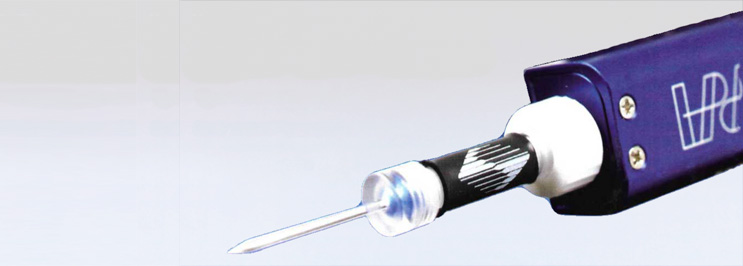
Two HL-U pipette holders
Two Patch-1U model cells
Null-modem (RS-232) cable
Operator's manual
Optional: Soft Panel; Single headstage amplifier
Further Accessories
|
Polycarbonate pipette holder |
Quartz pipette holder |
for the electrophysiological setup (Sutter Instrument) |

-
Home
-
Products
-
Amplifiers and other Electrophysiological Devices
-
Amplifiers
-
Patch Clamp Amplifiers
- Axon Multiclamp 700B